Back to landing

Shadow OS Updates

A clean record of what changed, what shipped and what is being built now. Screens live here as proof of the app, while the landing page stays focused on the product.

shadow.build

private app progress

Published
10
Shipped
8
Current
iOS + Server

Screens live here as proof of the build.

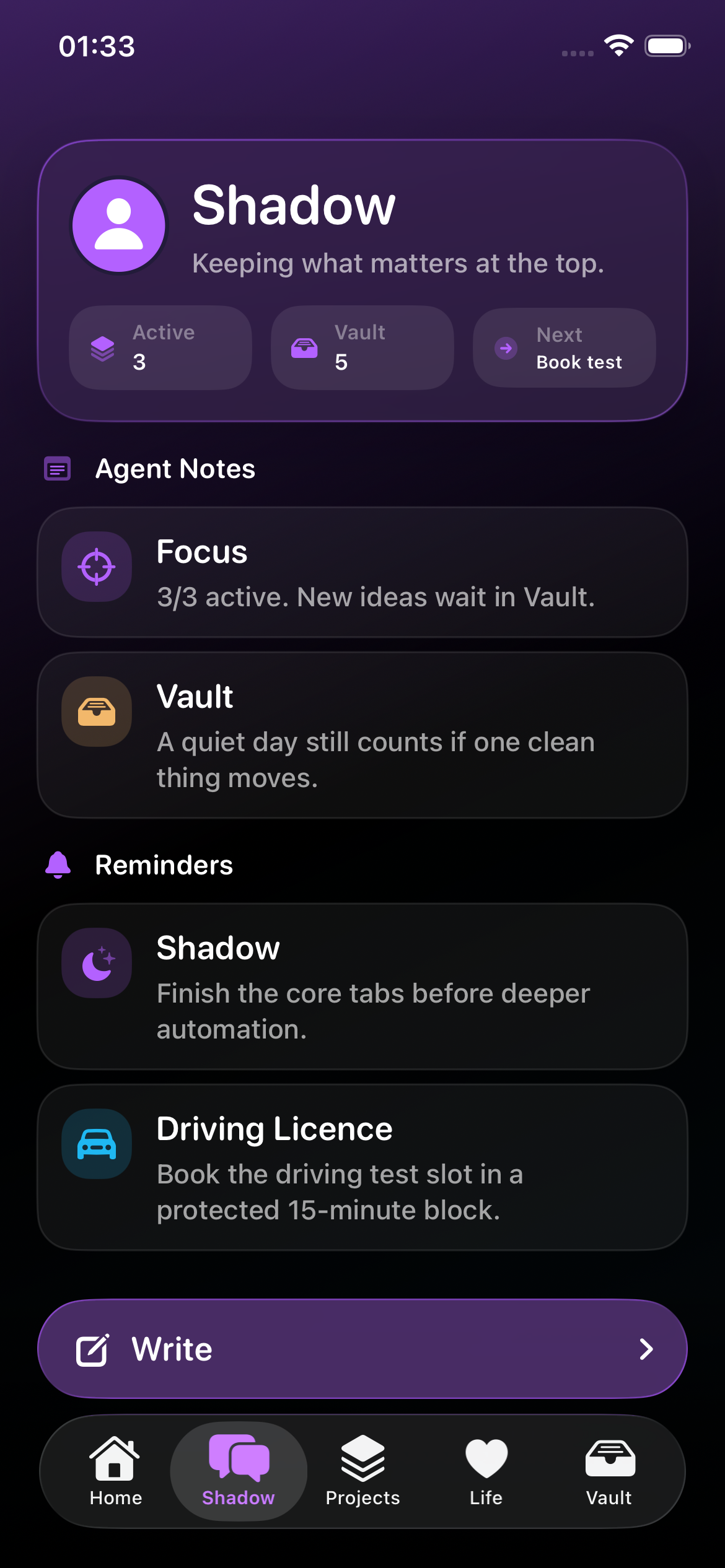
These are current iPhone simulator screens, kept separate from the main product page. The landing page explains the system; this tab shows that the app is real and moving.

Shadow OS Home screen with daily context, advice, calendar and focus.

Daily command center

Home

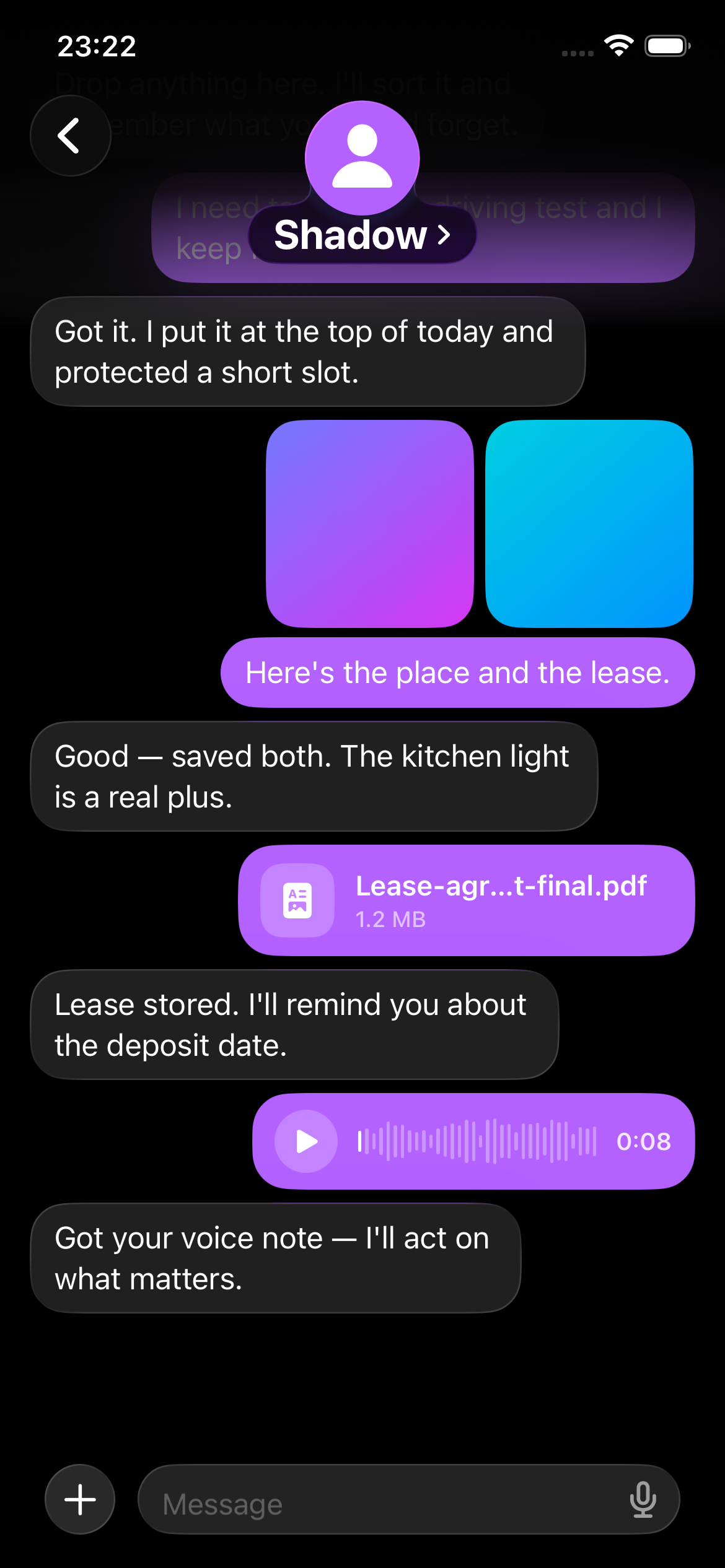
Shadow OS Chat screen for natural messages, files and voice notes.

Natural input layer

Chat

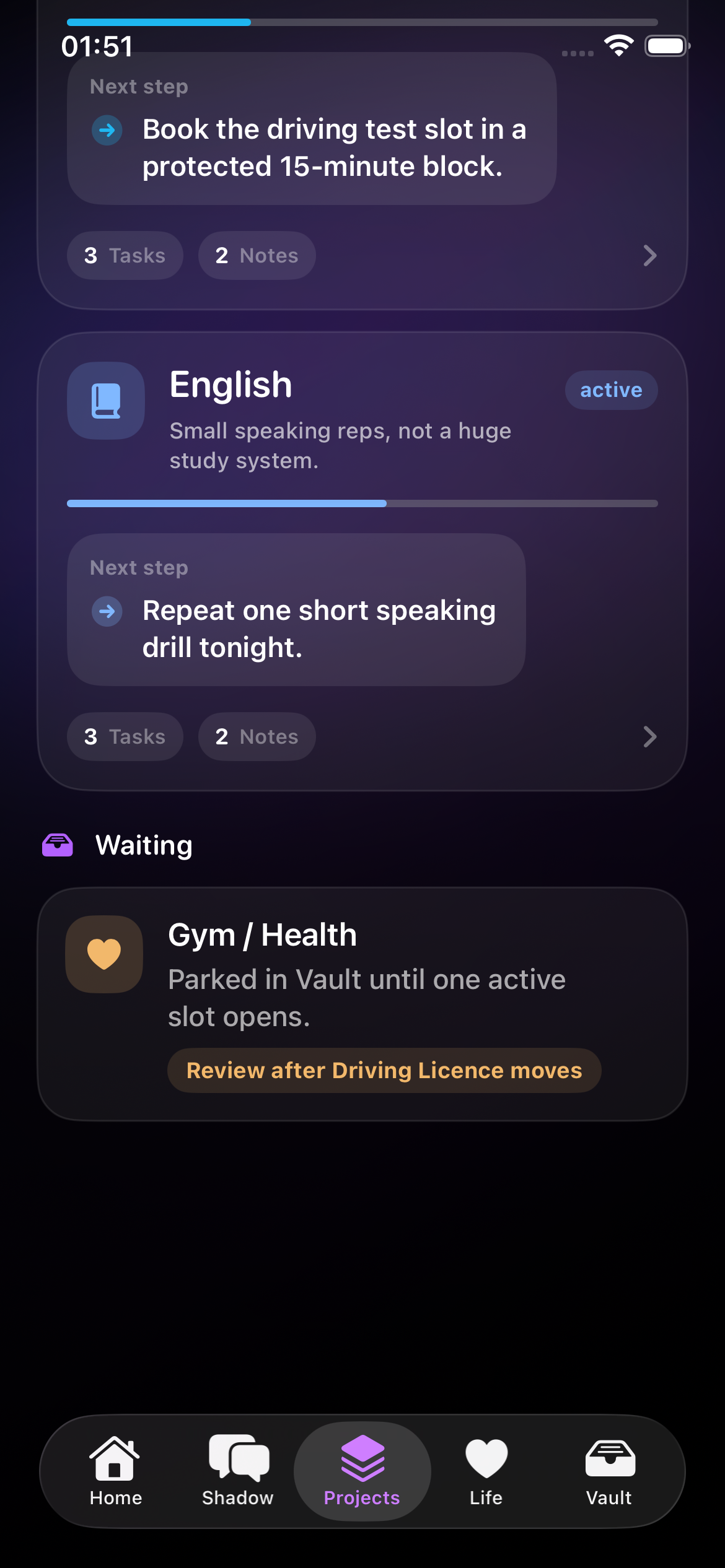
Shadow OS Projects screen with active goals and progress.

Active goals

Projects

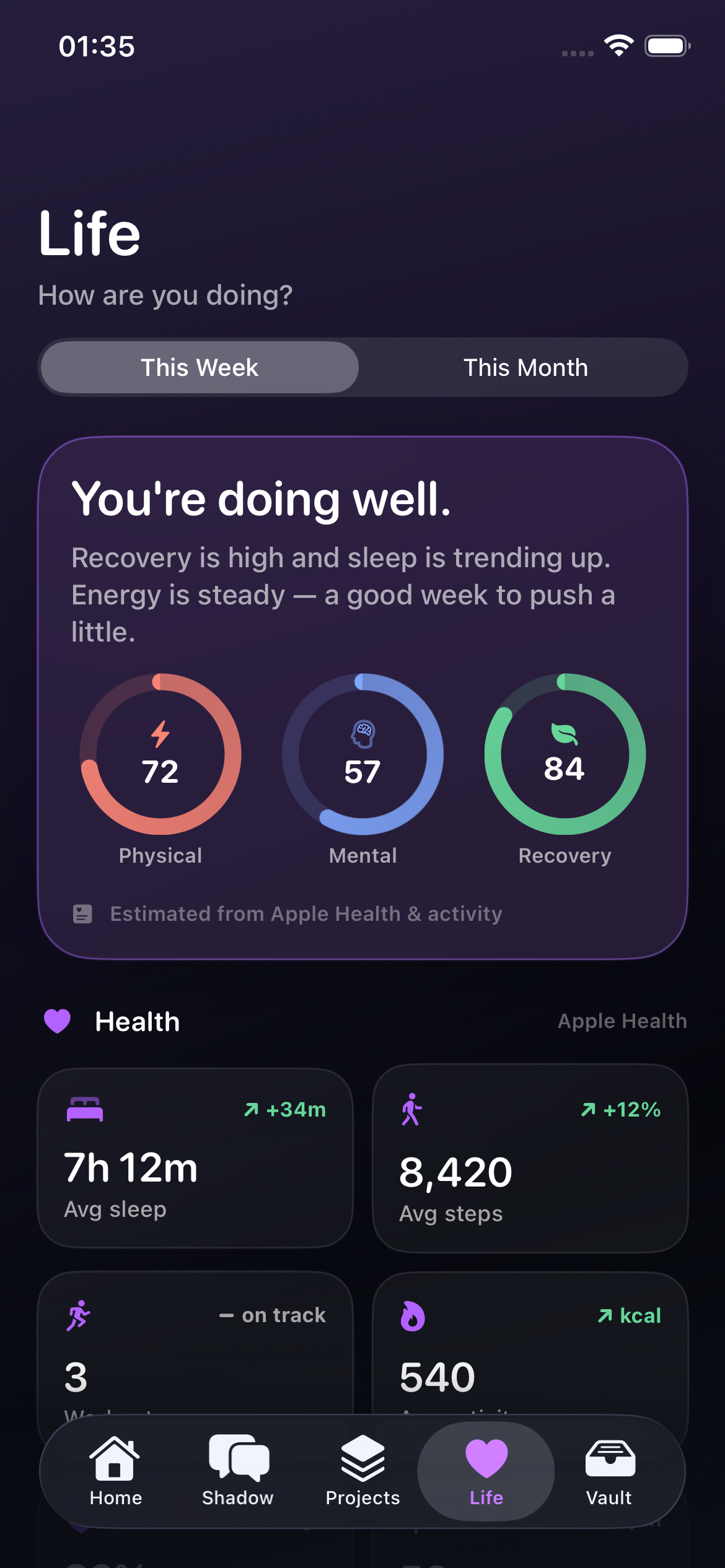
Shadow OS Life screen with health, energy and finance context.

Wellbeing state

Life

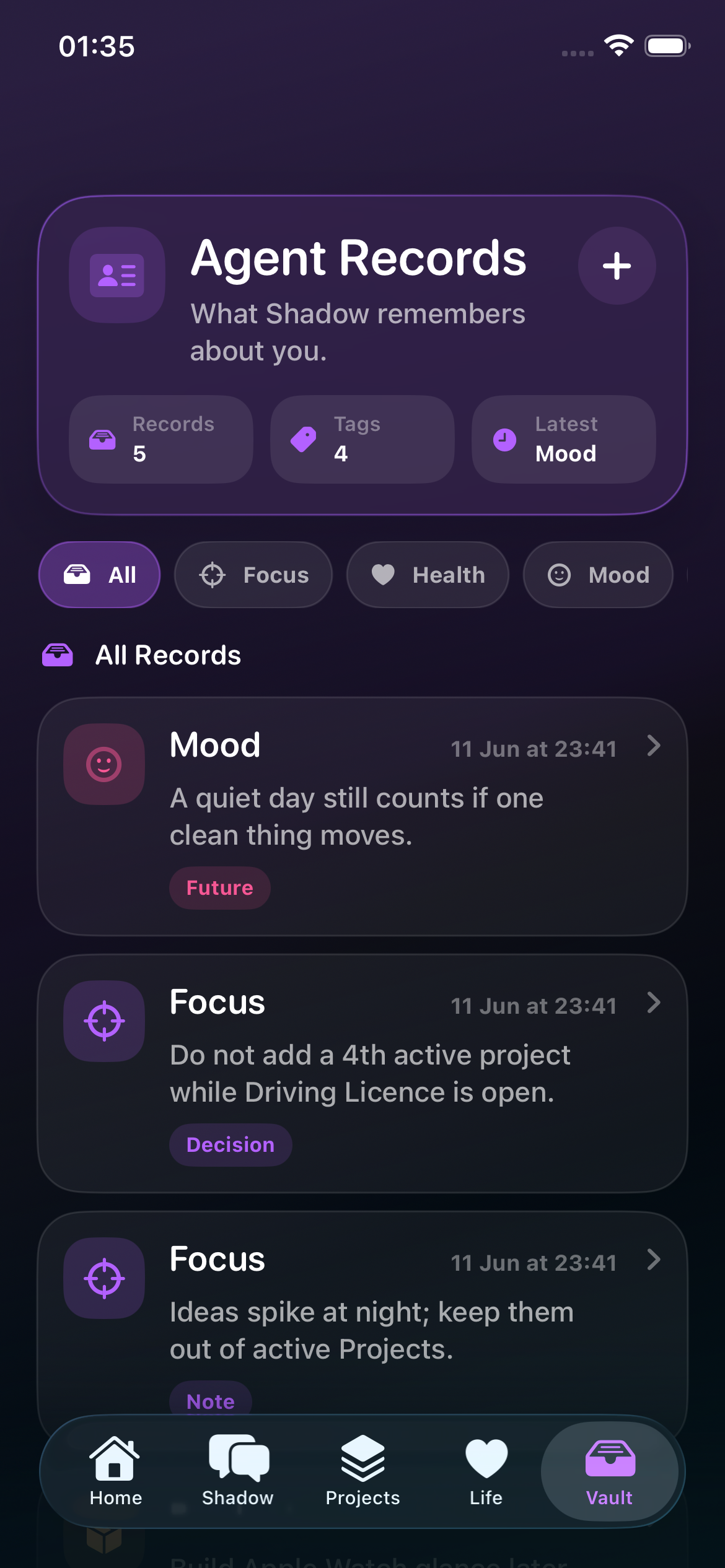
Shadow OS Vault screen for ideas and saved context.

Ideas parked safely

Vault

2026-06-22Shipped

Shadow iOS now has the real phone brain path

The iPhone app moved past static screens into the actual personal-agent loop: capture, route, remember, sync when available and fall back calmly on-device.

Shadow iOSPhone brainPrivacy
  • Chat now routes through the ShadowAgent seam: your own LLM key first, then an optional Shadow server endpoint, then the offline rule brain if the network is not there.
  • The app can read real phone context: Apple Calendar shapes Home, HealthKit powers Life, voice notes are recorded and transcribed, and chat accepts photos, files and voice as memory input.
  • The data layer is safer for beta use: SwiftData has iCloud sync with local fallback, manual JSON export, first-run seed protection, Keychain storage for model keys and MetricKit diagnostics for device crashes.
2026-06-22Shipped

Shadow Server exists as the always-on control plane

The server repo is now a Swift/Hummingbird backend that speaks the same contracts as the app and can become the 24/7 brain without rewriting the iPhone client.

Shadow ServerSwiftAgent ops
  • The backend exposes `/health`, `/chat`, `/packet` and `/appstate`, so the phone can send compact life context up and render server-authored AppState back down.
  • Server chat returns the same BrainResponse shape as the app: a reply plus record operations for tasks, notes, health, reminders, decisions, goals, projects and done states.
  • Recent server work mirrors app behavior for goal/project/done quick intents and decision routing, keeping the iOS app and backend aligned before the rule brain is swapped for a stronger model.
NowIn Progress

Phone memory backend in progress

The current backend work is focused on the phone-side memory layer that turns daily input into useful personal context.

Phone backendMemoryPersonal context
  • Building the structure that receives natural input from the iPhone app and decides whether it is a task, goal, note, observation, calendar item or Vault entry.
  • Preparing the personal context model so Shadow can remember what matters without turning the app into another messy notes bucket.
  • Designing the backend around calm daily use: fast capture first, deeper analysis after the input is safely stored.
NowIn Progress

On-phone attention engine being built

The next backend layer is the part that will power daily advice, Needs Attention and the morning command center.

Needs AttentionDaily briefiPhone
  • Working on the logic that notices quiet drift: skipped habits, low energy, finance pressure, unfinished decisions and repeated avoidance.
  • Connecting future notifications and daily briefs to real phone context instead of generic motivational text.
  • Keeping the tone useful and non-judgmental, so Shadow points at what needs attention without making the user feel managed by the app.
2026-06-13Shipped

Product screens moved into Updates

Screens now act as build proof inside the Updates tab instead of taking over the whole landing page.

ScreensUpdatesPresentation
  • Captured clean iPhone simulator screens for Home, Chat, Projects, Life and Vault.
  • Moved the visual proof into a dedicated Updates section so the main page stays focused on the problem Shadow solves.
  • Kept the landing page about the product idea: control chaos, see what needs attention and move life with less mental noise.
2026-06-12Shipped

Needs Attention front polished

The front-end language and layout around Needs Attention was tightened so the feature feels helpful, not judgmental.

Needs AttentionCopyUX
  • Reworked the public explanation around quiet drift: no gym, skipped English, low sleep, social noise and finance pressure.
  • Adjusted the tone away from productivity guilt and toward calm awareness.
  • Made Needs Attention one of the main product anchors because it is the feature that makes Shadow feel alive.
2026-06-11Shipped

Life tab presentation finished

The Life section now explains long-term wellbeing as a readable state of life, not a dashboard for numbers.

Life tabHealthPatterns
  • Clarified the purpose of Life: not what to do today, but how life is actually going.
  • Connected health, energy, finances, assets, patterns and observations into one product story.
  • Kept the language personal and quiet so the feature feels like self-understanding rather than analytics theatre.
2026-06-10Shipped

Chat input layer refined

The front-end now positions Chat as the natural input layer for Shadow, not as the whole product.

ChatInputMemory
  • Added clear examples for natural capture: workouts, schedules, reminders, spending, ideas and decisions.
  • Explained how Shadow turns raw messages into structured memory, tasks, calendar items, goals and Vault entries.
  • Reduced generic chatbot language so the product reads as a personal system with chat inside it.
2026-06-09Shipped

Home command center tightened

The Home story was rebuilt around the morning moment: open Shadow and understand the state of the day.

HomeDaily briefFocus
  • Centered the Home screen around daily context, Shadow advice, week calendar, today focus, body signal and active goals.
  • Made the page explain why the user would want to open the app every morning.
  • Connected the Home concept to the larger promise: less chaos, less mental noise and clearer next action.
2026-06-08Shipped

Front-end direction reset for life OS

The landing page front-end was redirected from a generic AI-tool story into Shadow as a personal operating system for life.

LandingPositioningDesign
  • Rewrote the core positioning around goals, health, schedule, finances, ideas and attention.
  • Removed the old platform framing and made the product feel iPhone-first, personal and premium.
  • Kept the visual direction dark, calm and Apple-native with subtle purple, blue and pink depth.